Maintenance Questions and Guides For Your Computer
✅ 90-day Service Warranty
✅ Fast Turnaround Time
✅ 90-day Service Warranty
✅ Fast Turnaround Time
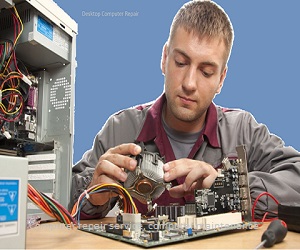
Regular maintenance includes cleaning hardware, updating software and drivers, running antivirus scans, performing backups, and removing unnecessary files.
Clean internally every 3–6 months and wipe external surfaces like the keyboard and screen monthly.
Microfiber cloths, compressed air, an antistatic wrist strap, screwdrivers, and antivirus software are essential.
Remove bloatware, disable startup apps, upgrade to an SSD, add more RAM, and clean up disk space regularly.
Restart your computer, use Safe Mode, run antivirus scans, update drivers, and try system restore points.
Wipe with disinfectant cloths, use compressed air, and remove debris between keys with gentle tools.
Yes. Install antivirus software, keep your system updated, avoid suspicious links, and use a firewall.
Keep it clean, avoid overheating, update software, use a surge protector, and handle carefully.
Yes. Use compressed air and an antistatic strap. Always power off and unplug the computer first.
Slow performance, overheating, noisy fans, pop-ups, and frequent crashes are common warning signs.
Open your antivirus program and select "Update" or "Check for updates." Many update automatically.
Use external hard drives or cloud storage like Google Drive or OneDrive. Automate backups when possible.
Use malware removal tools such as Malwarebytes, boot into Safe Mode, and uninstall suspicious programs.
Clean fans, ensure proper ventilation, keep it in a cool area, and use cooling pads for laptops.
Use Task Manager in Windows or Login Items in Mac to disable unnecessary startup applications.
Use Disk Cleanup on Windows or macOS Storage Manager. Delete temporary files and empty the recycle bin.
On Windows, go to Settings > Apps. On Mac, drag applications to the Trash.
IT professionals, local repair shops, or knowledgeable users with technical skills can perform computer maintenance.
When you search Google you'll find companies like Boston Computer Service Experts for "computer maintenance near you".
Many IT service providers offer secure remote maintenance using tools like TeamViewer.
Look for Mac-certified technicians or gaming PC specialists like Boston Computer Service Experts experienced in performance optimization.
Neglect may lead to data loss, malware infections, hardware damage, and reduced lifespan.
Perform monthly basic checks and deeper maintenance every 3–6 months.
Restart, clear temporary files, scan for malware, and consider upgrading RAM or to an SSD.
Run disk cleanup, uninstall unused apps, update software, and defragment drives where applicable.
To find reliable computer maintenance services near you, search Google for experienced computer technicians like ones at Boston Computer Service Experts.
Websites like Tom's Hardware, YouTube tutorials, and online courses offer great learning resources.
Amazon, Newegg, and Best Buy offer compressed air, toolkits, and cleaning supplies to maintain your computer.
Search Microsoft and Apple support sites, or check tech forums like Reddit's r/techsupport.
Platforms like Udemy, Coursera, and CompTIA offer training and certifications.
Specialized forums and local computer shops often help with legacy hardware and software.
Follow guides from manufacturer support sites or trusted tech blogs with visuals.
Tools like CCleaner, Glary Utilities, or Windows built-in utilities can automate cleanup and optimization.
For computer maintenance for specific brands like Dell, HP, Apple, etc., in the Boston, Boston Computer Service Experts are best.
Popular forums include Tom's Hardware, and Reddit tech communities.
We Believe in Service Excellence with Fast Turnaround Times!
Boston, MA 02108
(617) 764-9665
Request Your Free Quote
Fill out the form below and we will get back to you as soon as possible.
 4.7 Excellent