How to Know if Your Hard Drive is Dead
✅ 90-day Service Warranty
✅ Fast Turnaround Time
✅ 90-day Service Warranty
✅ Fast Turnaround Time
One thing is for sure, and as much as you wish it would not happen, your computer's hard drive will go dead or just "crash" at any given time. This can be most frustrating when this happens without giving you any warning signs. Or did it?
If your hard drive is on its final leg, then you must make last-minute arrangements to preserve the life of all your valuable data that is stored in it. Unfortunately, many people fail to recognize a dying hard drive until it is too late. Is your hard drive past the point of no return?
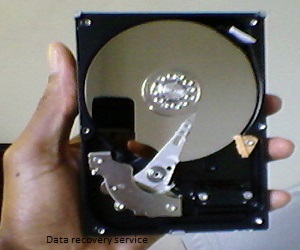
If you need file recovery, see our data recovery service.
Quick Start Guide
| Symptom | What It Means | Action |
|---|---|---|
| Clicking noises | Mechanical failure (HDD) | Stop using device, backup data |
| Won't boot | Drive unreadable | Schedule computer repair |
| Missing files | Corruption or bad sectors | Seek recovery help |
| Slow performance | Drive struggling to read data | Limit usage |
| Blue screen errors | Possible hardware failure | See blue screen guide |
Here are some warning signs to know if your hard drive is dead or about to die:
If you know where the hard disk motor is, try listening to it as you turn on your computer. A dead (or dying) hard drive simply won't sound "healthy". It may run sporadically, or too loudly... or it may not even run at all.
Additionally, you may notice a clicking or rattling sound any time your hard drive attempts to run. All of these are signs that your hard drive is about to die. In some cases, this may also trigger a blue screen of death error.

If you try to start your computer, and it simply can't get past the black screen, chances are your hard drive needs to be replaced. There are several stages in the boot-up process where your computer can get stuck due to a bad disk drive, and this problem is not always necessarily caused by a dead hard drive, so if you are experiencing this issue, it is best to consult with a qualified computer repair expert.
Sometimes, when the hard drive goes dead, your computer may attempt to alert you of the source of the problem. However, it may also be unable to communicate in its standard mode due to an issue with the hard drive, in which case it will resort to alternative forms of communication. For example, if your computer makes a beeping noise or flashing lights at you, then it is time to contact a local computer repair shop.
Taking into account all the roles computers must fill in our lives today, it is easy to see how disruptive and frustrating it can be to have computer problems. What's more is that you should only entrust the important task of fixing your computer issues to someone competent and trustworthy enough to get the job done – and get it done right the first time.
HDDs often show warning sounds like clicking. SSDs usually fail silently but may show sudden boot errors or missing data.
If you suspect failure, avoid repeated restarts or heavy scans. Continued use can reduce the chance of recovery.
If your hard drive is failing or dead, our Data Recovery specialists can help retrieve your important files.
We have a dedicated staff of experienced and reliable computer service professionals at Boston Computer Service Experts ready to help you diagnose your computer problem. We will find the right solution for you so you can have your computer working smoothly again. You can review the average cost of computer repair to understand what to expect before scheduling service.
Call or Text Us For Your FREE Quote Today: (617) 764-9665
Often yes, depending on the failure type.
It often signals mechanical failure in traditional hard drives.
Cost depends on damage level and recovery needs.
We Believe in Service Excellence with Fast Turnaround Times!

Boston, MA 02108
(617) 764-9665
Request Your Free Quote
Fill out the form below and we will get back to you as soon as possible.
 4.7 Excellent